
Murf Ai
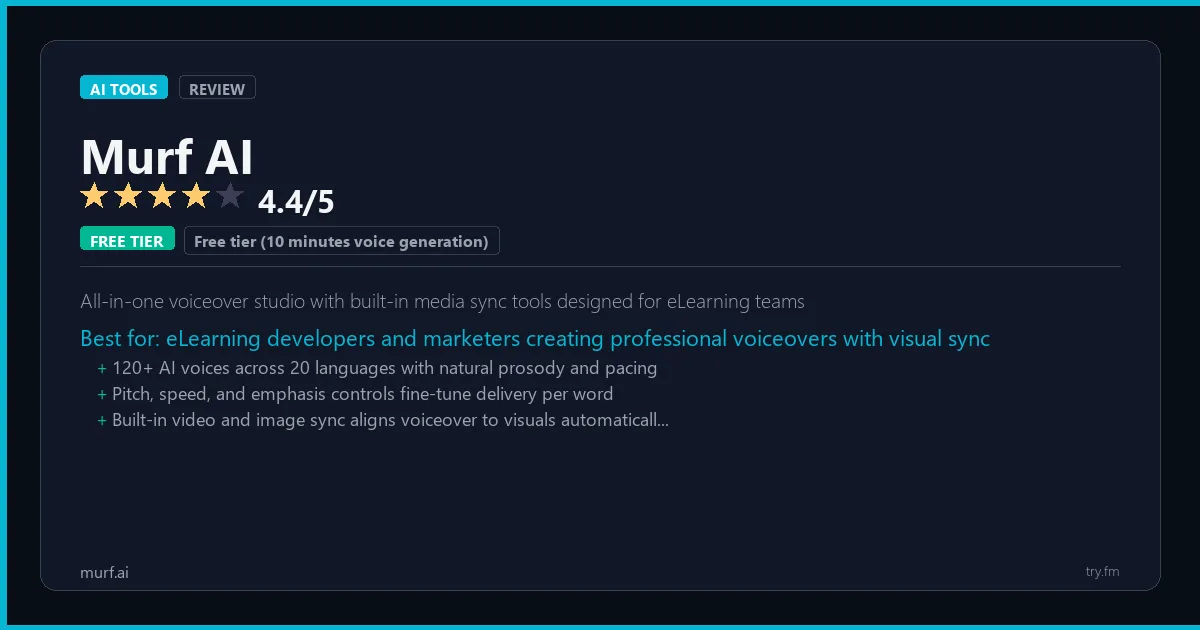
Free tier (10 minutes voice generation). Creator $29/month. Business $99/month. Enterprise custom.
 Photo by Daniil Komov on Pexels
What is Murf AI?
Murf AI, available at murf.ai, is an online AI voiceover generator trusted by over 15 million users for creating professional-quality narration without recording studios or voice actors. Murf AI offers 120+ natural-sounding voices across 20+ languages with granular control over emphasis, pitch, speed, and pause timing. The platform's integrated studio allows users to sync voice to video, add background music, and adjust timing in a single workflow. E-learning developers, marketers, and content creators use Murf to produce explainer videos, podcast content, and corporate training materials with consistent, scalable voiceovers that can be updated instantly.
Visit https://murf.ai to learn more or start your free trial.

47 Things You Should NEVER Tell ChatGPT
Millions already made these mistakes. 64% of users have accidentally shared sensitive data with AI. Are you one of them?
We respect your privacy. Unsubscribe anytime.
Key Features
- 120+ AI voices across 20+ languages with natural prosody control
- Pitch, speed, emphasis, and pause customization at the word level
- Integrated video and voice studio for synchronized media production
- Voice changer for converting recorded audio to AI voice styles
- Team collaboration with project sharing and role-based access
- API access for integrating voiceover generation into custom workflows
Getting Started with Murf AI
Here is how to start using Murf AI today, step by step.
- Visit the website - Go to https://murf.ai and click the sign-up button.
- Create your account - You can sign up for the free tier without entering a credit card. This gives you access to the basic features right away.
- Explore the dashboard - Once you are in, take 5 minutes to look around. Most AI tools have a tutorial or onboarding flow that shows you the basics.
- Try the core feature - Start with: 120+ AI voices across 20+ languages with natural prosody control. This is what most people use Murf AI for. Spend 10 minutes trying it out to get a feel for how it works.
- Check the limits - If you are on a free tier, check what limits apply so you know when it makes sense to upgrade.
Pro Tips for Murf AI
- Start with the free tier - The free tier is usually enough for personal use and small projects. Only upgrade when you hit a specific limit that blocks your work.
- Use keyboard shortcuts - Most AI tools have keyboard shortcuts that speed up your workflow. Look for them in the settings or help menu.
- Check for integrations - Murf AI probably connects with tools you already use. Check the integrations page to set up time-saving automations.
- Watch tutorials - Search "Murf AI tutorial" on YouTube for walkthroughs from other users. Seeing how real people use the tool is the fastest way to learn.
- Compare before committing - Before you pay for a subscription, try 2-3 similar tools. Our AI tools page makes it easy to compare ratings and features.
Frequently Asked Questions About Murf AI
Is Murf AI safe to use?
Yes. Murf AI is a legitimate AI tool made by Murf AI. Like any AI tool, avoid sharing sensitive personal data (like passwords or financial info) in your prompts. Review their privacy policy if you plan to use it for business.
Can Murf AI replace a human?
Not completely. Murf AI is best used as an assistant that handles repetitive tasks and speeds up your workflow. It works best when a human reviews and edits the output. Think of it as a very fast first draft.
Does Murf AI work on mobile?
Most AI tools, including Murf AI, work in a web browser on any device. Some also have dedicated mobile apps. Check https://murf.ai for the latest app availability.

100 AI Side Hustles You Can Start This Weekend
While you're browsing tools, thousands of people are already making money with them. Get the full list with free tools for each.
We respect your privacy. Unsubscribe anytime.
Similar Tools

Papago
Naver's Asian language specialist with the most accurate Korean and Japanese translation available
Try Free Read Review
Surfer Seo Ai
Most precise SEO content scoring tool measuring against actual top-20 SERP competitors in real time
Try Free Read Review
Mem Ai
Self-organizing AI notes that surface relevant past knowledge automatically while you write
Try Free Read Review